




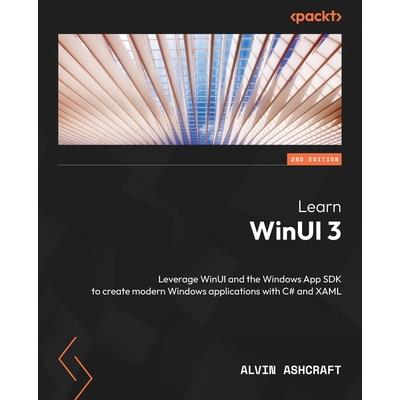
Learn WinUI 3 - Second Edition




內容簡介
Unlock the power of WinUI and supercharge your Windows app development with .NET and C# using this beginner's guideKey FeaturesFind out how to create modern Windows apps with native UI controlsGet to grips with modernizing existing desktop apps with a modern UILeverage WinUI code to build apps for iOS, Android, the web, and morePurchase of the print or Kindle book includes a free PDF eBookBook Description
WinUI 3 takes a whole new approach to delivering Windows UI components and controls and has the ability to deliver the same features across multiple versions of Windows. Learn WinUI 3 is a comprehensive introduction to WinUI and Windows apps for anyone who is new to WinUI and XAML applications.
This updated second edition begins by helping you get to grips with the latest features in WinUI and shows you how XAML is used in UI development. The next set of chapters will help you set up a new Visual Studio environment, develop a new desktop project, incorporate the Model-View-ViewModel (MVVM) pattern in a WinUI project, and develop unit tests for ViewModel commands. Next, you'll cover the basics of data access from WinUI projects with a step-by-step approach. As you advance, you'll discover how to leverage the Fluent Design System to design beautiful WinUI applications. You'll also explore the contents and capabilities of the Windows Community Toolkit and learn how to create cross-platform apps with markup and code from your project using Uno Platform. The concluding chapters will teach you how to build, debug, and deploy apps to the Microsoft Store.
By the end of this book, you'll have learned how to build WinUI applications from scratch and how to modernize existing desktop apps using WinUI 3 and the Windows App SDK.What you will learnDiscover the latest features of WinUI 3 and learn how to provide product feedbackUnderstand the WinUI project structure and the app lifecycleUse the MVVM pattern in WinUI and discover open source MVVM projectsFind out how to create a simple data store to save app data between sessionsGet to grips with incorporating the concepts of Fluent Design into a WinUI appDiscover how to use push notifications and app notifications in WinUIReuse WinUI views and view models in a cross-platform Uno Platform appWho this book is for
This book is for anyone looking to develop applications for Windows with a modern UI. If you're familiar with Windows desktop app development and want to enhance your knowledge of the latest Windows development techniques, this book is for you. Whether you're starting a new project or planning to modernize your existing Windows apps, this book will provide you with guidance. Hands-on experience with C# and .NET is expected, but no prior knowledge of WinUI or the Windows App SDK is required.Table of ContentsIntroduction to WinUIConfiguring the Development Environment and Creating the ProjectMVVM for Maintainability and TestabilityAdvanced MVVM ConceptsExploring WinUI ControlsLeveraging Data and ServicesFluent Design System for Windows ApplicationsAdding Windows Notifications to WinUI ApplicationsEnhancing Applications with the Windows Community ToolkitsAccelerating App Development with Template StudioDebugging WinUI Apps with Visual StudioHosting a Blazor Application in WinUITake Your App Cross-Platform with Uno Platform Packaging and Deploying WinUI Applications
配送方式
-
台灣
- 國內宅配:本島、離島
-
到店取貨:
 不限金額免運費



-
海外
- 國際快遞:全球
-
港澳店取:


訂購/退換貨須知
加入金石堂 LINE 官方帳號『完成綁定』,隨時掌握出貨動態:


商品運送說明:
- 本公司所提供的產品配送區域範圍目前僅限台灣本島。注意!收件地址請勿為郵政信箱。
- 商品將由廠商透過貨運或是郵局寄送。消費者訂購之商品若無法送達,經電話或 E-mail無法聯繫逾三天者,本公司將取消該筆訂單,並且全額退款。
- 當廠商出貨後,您會收到E-mail出貨通知,您也可透過【訂單查詢】確認出貨情況。
- 產品顏色可能會因網頁呈現與拍攝關係產生色差,圖片僅供參考,商品依實際供貨樣式為準。
- 如果是大型商品(如:傢俱、床墊、家電、運動器材等)及需安裝商品,請依商品頁面說明為主。訂單完成收款確認後,出貨廠商將會和您聯繫確認相關配送等細節。
- 偏遠地區、樓層費及其它加價費用,皆由廠商於約定配送時一併告知,廠商將保留出貨與否的權利。
提醒您!!
金石堂及銀行均不會請您操作ATM! 如接獲電話要求您前往ATM提款機,請不要聽從指示,以免受騙上當!
退換貨須知:
**提醒您,鑑賞期不等於試用期,退回商品須為全新狀態**
-
依據「消費者保護法」第19條及行政院消費者保護處公告之「通訊交易解除權合理例外情事適用準則」,以下商品購買後,除商品本身有瑕疵外,將不提供7天的猶豫期:
- 易於腐敗、保存期限較短或解約時即將逾期。(如:生鮮食品)
- 依消費者要求所為之客製化給付。(客製化商品)
- 報紙、期刊或雜誌。(含MOOK、外文雜誌)
- 經消費者拆封之影音商品或電腦軟體。
- 非以有形媒介提供之數位內容或一經提供即為完成之線上服務,經消費者事先同意始提供。(如:電子書、電子雜誌、下載版軟體、虛擬商品…等)
- 已拆封之個人衛生用品。(如:內衣褲、刮鬍刀、除毛刀…等)
- 若非上列種類商品,均享有到貨7天的猶豫期(含例假日)。
- 辦理退換貨時,商品(組合商品恕無法接受單獨退貨)必須是您收到商品時的原始狀態(包含商品本體、配件、贈品、保證書、所有附隨資料文件及原廠內外包裝…等),請勿直接使用原廠包裝寄送,或於原廠包裝上黏貼紙張或書寫文字。
- 退回商品若無法回復原狀,將請您負擔回復原狀所需費用,嚴重時將影響您的退貨權益。


商品評價