




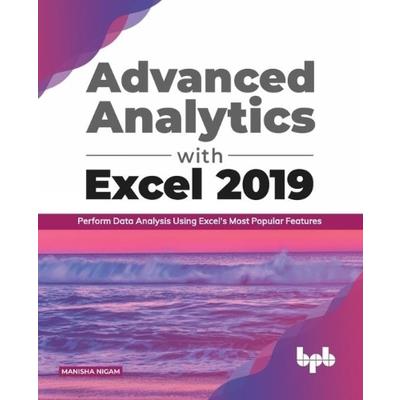
Advanced Analytics with Excel 2019Perform Data Analysis Using Excel’s Most Popular Features (English Editions)
Advanced Analytics with Excel 2019Perform Data Analysis Using Excel's




內容簡介
Explore different ways and methods to consolidate data, complex analysis, and prediction or forecast based on trends Key FeaturesUse the Analysis ToolPak to perform complex Data analysisGet well versed with the formulas, functions, and components in ExcelHandy templates to give you a head startUsage of multiple examples to explain the application in a real-world scenarioImplement macros for your everyday tasks that will help you save your timeExplore different Charts types for Data visualizationDescriptionBook explains and simplify the usage of Excel features and functionalities, with the help of examples. It starts with Getting Started with Excel and Performing functions with shortcut keys which will help you in getting started with Excel. Then Formulas and Functions gives an initial understanding of what are operators, formulas, functions, their components. Further Data Visualization with new Charts types, Gantt and Milestone chart, SmartArt and Organization Chart give details on the different chart types available in Excel.In the intermediate section, you will learn Get creative with Icons, 3D models, Digital Inking details multiple new and improved features that got introduced to enhance the visual presentation. In the end, Chapters Mail Merge using Excel, Create Custom Excel Template and Macros in Excel explain the Excel features that help in automating tasks. You will learn how to generate multiple documents automatically with customization, create and use your own templates and use of macros to do repeated task automatically.And at last Chapter Get help for your problem lists few problem statements and their probable solutions with references to the Excel feature or functionality that can be used to resolve the problem.What will you learnGet familiar with the most used advanced Excel formulas and functions for Data analysisLearn how to create a Gantt / Timeline / Milestone Chart in ExcelUse charts for Better Data visualizationBuild organization charts with SmartArt tools in ExcelUse the Analysis ToolPak & Power Pivots to perform complex Data analysisLearn how to link and share workbooks for automatic updatesWho this book is forThis book is for professionals from any domain, who are searching for shortcuts & advanced methods to resolve their daily problems.Table of Contents1. Getting Started with Excel2. Perform Functions with Shortcut Keys3. Formulas and Functions4. Data Visualization with New Chart types5. Gantt and Milestone Chart6. SmartArt & Organization Chart7. Get creative with Icons, 3D models, Digital Inking8. Putting Data in perspective with Pivots9. Complex Data Analysis using ToolPak10. Forecasting in Excel11. Mail Merge using Excel12. Create Custom Excel Template13. Macros in Excel14. Get help for your problemAbout the AuthorManisha Nigam is a seasoned management professional with twenty plus years of information technology experience, working with multinationals across the globe. Her expertise in Excel comes from the vast experience she has in using and understanding the software over the years, that helped her in working efficiently and managing complex programs. A certified PMP (PMI Project Management Professional), CSM (Scrum Alliance Scrum Master), TOGAF 9.1 (The Open Group Enterprise Architecture) and holds a post graduate degree in computer science and business management from prestigious universities in India.Read more
配送方式
-
台灣
- 國內宅配:本島、離島
-
到店取貨:
 不限金額免運費



-
海外
- 國際快遞:全球
-
港澳店取:


訂購/退換貨須知
加入金石堂 LINE 官方帳號『完成綁定』,隨時掌握出貨動態:


商品運送說明:
- 本公司所提供的產品配送區域範圍目前僅限台灣本島。注意!收件地址請勿為郵政信箱。
- 商品將由廠商透過貨運或是郵局寄送。消費者訂購之商品若無法送達,經電話或 E-mail無法聯繫逾三天者,本公司將取消該筆訂單,並且全額退款。
- 當廠商出貨後,您會收到E-mail出貨通知,您也可透過【訂單查詢】確認出貨情況。
- 產品顏色可能會因網頁呈現與拍攝關係產生色差,圖片僅供參考,商品依實際供貨樣式為準。
- 如果是大型商品(如:傢俱、床墊、家電、運動器材等)及需安裝商品,請依商品頁面說明為主。訂單完成收款確認後,出貨廠商將會和您聯繫確認相關配送等細節。
- 偏遠地區、樓層費及其它加價費用,皆由廠商於約定配送時一併告知,廠商將保留出貨與否的權利。
提醒您!!
金石堂及銀行均不會請您操作ATM! 如接獲電話要求您前往ATM提款機,請不要聽從指示,以免受騙上當!
退換貨須知:
**提醒您,鑑賞期不等於試用期,退回商品須為全新狀態**
-
依據「消費者保護法」第19條及行政院消費者保護處公告之「通訊交易解除權合理例外情事適用準則」,以下商品購買後,除商品本身有瑕疵外,將不提供7天的猶豫期:
- 易於腐敗、保存期限較短或解約時即將逾期。(如:生鮮食品)
- 依消費者要求所為之客製化給付。(客製化商品)
- 報紙、期刊或雜誌。(含MOOK、外文雜誌)
- 經消費者拆封之影音商品或電腦軟體。
- 非以有形媒介提供之數位內容或一經提供即為完成之線上服務,經消費者事先同意始提供。(如:電子書、電子雜誌、下載版軟體、虛擬商品…等)
- 已拆封之個人衛生用品。(如:內衣褲、刮鬍刀、除毛刀…等)
- 若非上列種類商品,均享有到貨7天的猶豫期(含例假日)。
- 辦理退換貨時,商品(組合商品恕無法接受單獨退貨)必須是您收到商品時的原始狀態(包含商品本體、配件、贈品、保證書、所有附隨資料文件及原廠內外包裝…等),請勿直接使用原廠包裝寄送,或於原廠包裝上黏貼紙張或書寫文字。
- 退回商品若無法回復原狀,將請您負擔回復原狀所需費用,嚴重時將影響您的退貨權益。


商品評價