




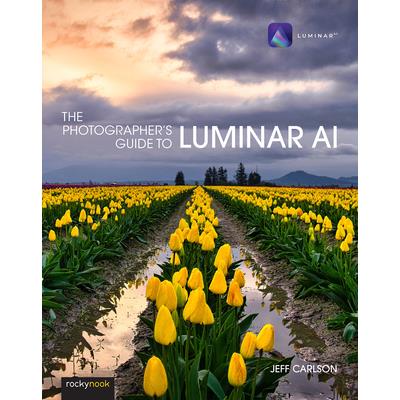
The Photographer’s Guide to Luminar AI
The Photographer's Guide to Luminar AI



-
9折 1195元
1328元 - 認購希望書包,幫助弱勢孩童上學不中斷!
-
 預計最高可得金幣55點
?
可100%折抵
預計最高可得金幣55點
?
可100%折抵
活動加倍另計 -
HAPPY GO享100累1點 4點抵1元 折抵無上限
-
分類:英文書>藝術設計>藝術>攝影追蹤? 追蹤分類後,您會在第一時間收到分類新品通知。
- 作者: Jeff,Carlson 追蹤 ? 追蹤作者後,您會在第一時間收到作者新書通知。
- 出版社: Rocky Nook 追蹤 ? 追蹤出版社後,您會在第一時間收到出版社新書通知。
- 出版日:2021/08/21

活動訊息
全館滿$1,200送150點金幣,4月歡慶兒童節,童書、玩具、文具滿1000元再送200點金幣!

內容簡介
Skylum's Luminar AI is a great solution for both professional and amateur photographers who want to quickly create stunning photos. Luminar's advanced AI-based tools eliminate hours of traditional editing tasks, whether you're applying automatic tone and color adjustments, replacing dreary skies with more dynamic ones, or retouching portraits to smooth skin, remove blemishes, and accentuate flattering facial features. For those who want to dig into editing, powerful tools give you full control over your RAW and JPEG images, including advanced features such as masks, blend modes, and lens correction. Luminar AI also works as a plug-in for other applications, such as Adobe Photoshop, Lightroom Classic, and Apple Photos, allowing round-trip editing and seamless integration with workflows you may already have in place. Luminar AI is deceptively deep, and in The Photographer's Guide to Luminar AI, photographer Jeff Carlson helps you discover Luminar AI's best features to take full advantage of the program for all your photography needs. From importing your images to editing, managing, and exporting your files, Jeff showcases the power, precision, and control of Luminar while teaching you to work quickly and efficiently. In this book, he walks you through real-world landscape and portrait edits, and covers every tool and feature with the goal of helping you understand how to make Luminar improve your images. In this book you'll learn all about: - AI editing: Luminar AI's many AI-based tools eliminate hours of traditional editing tasks. Improve overall tone and color using just one slider, and enhance a sky using another without building masks or layers. Realistically replace the entire sky in one step, even when objects like buildings or trees intrude. Luminar identifies faces in photos, allowing you to smooth skin, sharpen eyes, brighten faces, and perform other portrait retouching tasks in minutes. - Expert editing: Take advantage of Luminar's many professional tools to bring out the best versions of your photos. Enhance the look using tone controls and curves, dodging and burning, and tools built for specific types of images, such as Landscape Enhancer, Adjustable Gradient, and B & W Conversion. The Erase and Clone & Stamp tools make it easy to remove unexpected objects and glitches such as lens dust spots. Luminar's RAW editing engine includes real-time noise reduction and advanced color processing and sharpening tools, all completely non-destructive and with the ability to step back through the history of edits. - Advanced editing: Use masks, blend modes, and lens corrections to combine edits and effects. - Creativity: Open your imagination with Luminar's creative tools, which range from adding glow, texture, and dramatic looks to incorporating sunrays and objects into augmented skies. - Presets and LUTs (Lookup Tables): Learn how to use Luminar Looks presets and LUTs to bring the look of simulated film stocks and creative color grades to your work. - Luminar Library: Organize and manage your photos in a central library where your source images can reside where you want them, whether that's on your hard disk, a network volume, or in local cloud services folders such as Dropbox or Google Drive for remote backup. - Luminar plug-ins: If you already use other applications to organize your library or for photo editing, such as Adobe Photoshop or Lightroom Classic, Luminar AI also works as a plug-in that allows round-trip editing and seamless integration with the workflows you may already have in place. - Sharing images: Whether you're printing your images or sharing them online, learn how to make your photos look their best no matter what output solution you need.
配送方式
-
台灣
- 國內宅配:本島、離島
-
到店取貨:
 不限金額免運費



-
海外
- 國際快遞:全球
-
港澳店取:

訂購/退換貨須知
加入金石堂 LINE 官方帳號『完成綁定』,隨時掌握出貨動態:


商品運送說明:
- 本公司所提供的產品配送區域範圍目前僅限台灣本島。注意!收件地址請勿為郵政信箱。
- 商品將由廠商透過貨運或是郵局寄送。消費者訂購之商品若無法送達,經電話或 E-mail無法聯繫逾三天者,本公司將取消該筆訂單,並且全額退款。
- 當廠商出貨後,您會收到E-mail出貨通知,您也可透過【訂單查詢】確認出貨情況。
- 產品顏色可能會因網頁呈現與拍攝關係產生色差,圖片僅供參考,商品依實際供貨樣式為準。
- 如果是大型商品(如:傢俱、床墊、家電、運動器材等)及需安裝商品,請依商品頁面說明為主。訂單完成收款確認後,出貨廠商將會和您聯繫確認相關配送等細節。
- 偏遠地區、樓層費及其它加價費用,皆由廠商於約定配送時一併告知,廠商將保留出貨與否的權利。
提醒您!!
金石堂及銀行均不會請您操作ATM! 如接獲電話要求您前往ATM提款機,請不要聽從指示,以免受騙上當!
退換貨須知:
**提醒您,鑑賞期不等於試用期,退回商品須為全新狀態**
-
依據「消費者保護法」第19條及行政院消費者保護處公告之「通訊交易解除權合理例外情事適用準則」,以下商品購買後,除商品本身有瑕疵外,將不提供7天的猶豫期:
- 易於腐敗、保存期限較短或解約時即將逾期。(如:生鮮食品)
- 依消費者要求所為之客製化給付。(客製化商品)
- 報紙、期刊或雜誌。(含MOOK、外文雜誌)
- 經消費者拆封之影音商品或電腦軟體。
- 非以有形媒介提供之數位內容或一經提供即為完成之線上服務,經消費者事先同意始提供。(如:電子書、電子雜誌、下載版軟體、虛擬商品…等)
- 已拆封之個人衛生用品。(如:內衣褲、刮鬍刀、除毛刀…等)
- 若非上列種類商品,均享有到貨7天的猶豫期(含例假日)。
- 辦理退換貨時,商品(組合商品恕無法接受單獨退貨)必須是您收到商品時的原始狀態(包含商品本體、配件、贈品、保證書、所有附隨資料文件及原廠內外包裝…等),請勿直接使用原廠包裝寄送,或於原廠包裝上黏貼紙張或書寫文字。
- 退回商品若無法回復原狀,將請您負擔回復原狀所需費用,嚴重時將影響您的退貨權益。



商品評價