




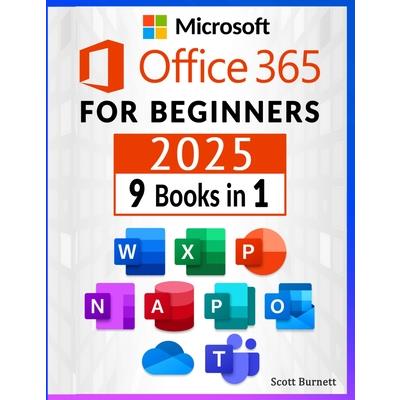
Microsoft Office 365 for Beginners



-
9折 1879元
2088元
-
 預計最高可得金幣90點
?
可100%折抵
預計最高可得金幣90點
?
可100%折抵
活動加倍另計 -
HAPPY GO享100累1點 4點抵1元 折抵無上限
-
分類:英文書>自然科普>電腦資訊>其他電腦資訊追蹤? 追蹤分類後,您會在第一時間收到分類新品通知。
- 作者: Scott,Burnett 追蹤 ? 追蹤作者後,您會在第一時間收到作者新書通知。
- 出版社: Orion Edition 追蹤 ? 追蹤出版社後,您會在第一時間收到出版社新書通知。
- 出版日:2025/08/06

活動訊息
全館滿$1,200送150點金幣,4月歡慶兒童節,童書、玩具、文具滿1000元再送200點金幣!

內容簡介
���� Master Microsoft Office 365 the Smart Way - Even If You're a Total Beginner!
9 Tools in 1 Powerful Guide: Word, Excel, PowerPoint, OneNote, Access, Publisher, Outlook, OneDrive & Teams
Are you tired of feeling overwhelmed by Microsoft Office 365?
Do you wish you could finally understand all its tools - and actually use them to get more done, faster?
Whether you're a busy professional, student, small business owner, or simply someone eager to upskill in the digital age, this book is your all-in-one ticket to mastering Office 365 without confusion, stress, or endless Google searches.
✅ What You'll Learn Inside:
���� Microsoft Word:
Craft stunning documents, use templates, master formatting, and save hours with advanced tips.
���� Microsoft Excel:
Learn formulas, functions, data visualization, pivot tables, and real-life use cases.
���� Microsoft PowerPoint:
Design engaging presentations, animations, and multimedia slideshows like a pro.
���� Microsoft Outlook:
Tame your inbox, organize your calendar, and boost productivity with smart email management.
���� Microsoft OneNote:
Take better notes, stay organized, and collaborate on the go - across all your devices.
���� Microsoft Access:
Understand databases the easy way and build functional systems for your personal or business needs.
���� Microsoft Publisher:
Create polished flyers, brochures, and marketing materials with zero design experience.
���� Microsoft OneDrive:
Master cloud storage, file sharing, syncing, and backup for personal and work documents.
���� Microsoft Teams:
Streamline remote collaboration, chat, video conferencing, and shared workspaces.
���� Who Is This Book For?
This guide is ideal for:
Beginners and self-learners who want a clear, step-by-step approachStudents needing practical tech skills for school or collegeEmployees or job seekers looking to boost their r矇sum矇 with real software expertiseSmall business owners & entrepreneurs who want to organize and automate their workflowAnyone transitioning to remote or hybrid work and needing to master digital collaboration tools
���� Why This Book Stands Out
✔️ Written in plain English - no tech jargon
✔️ Packed with real-world examples and screenshots
✔️ Updated for the latest Microsoft 365 environment
✔️ Covers everything in one place - no need to buy separate guides
✔️ Includes bonus tips, shortcuts, and time-saving hacks used by experts
���� Whether you're learning for your job, school, or personal growth, this "9-in-1" guide will help you unlock the full power of Microsoft 365 with ease and confidence.
���� Start today - and become the Office 365 expert everyone turns to.
配送方式
-
台灣
- 國內宅配:本島、離島
-
到店取貨:
 不限金額免運費



-
海外
- 國際快遞:全球
-
港澳店取:


訂購/退換貨須知
加入金石堂 LINE 官方帳號『完成綁定』,隨時掌握出貨動態:


商品運送說明:
- 本公司所提供的產品配送區域範圍目前僅限台灣本島。注意!收件地址請勿為郵政信箱。
- 商品將由廠商透過貨運或是郵局寄送。消費者訂購之商品若無法送達,經電話或 E-mail無法聯繫逾三天者,本公司將取消該筆訂單,並且全額退款。
- 當廠商出貨後,您會收到E-mail出貨通知,您也可透過【訂單查詢】確認出貨情況。
- 產品顏色可能會因網頁呈現與拍攝關係產生色差,圖片僅供參考,商品依實際供貨樣式為準。
- 如果是大型商品(如:傢俱、床墊、家電、運動器材等)及需安裝商品,請依商品頁面說明為主。訂單完成收款確認後,出貨廠商將會和您聯繫確認相關配送等細節。
- 偏遠地區、樓層費及其它加價費用,皆由廠商於約定配送時一併告知,廠商將保留出貨與否的權利。
提醒您!!
金石堂及銀行均不會請您操作ATM! 如接獲電話要求您前往ATM提款機,請不要聽從指示,以免受騙上當!
退換貨須知:
**提醒您,鑑賞期不等於試用期,退回商品須為全新狀態**
-
依據「消費者保護法」第19條及行政院消費者保護處公告之「通訊交易解除權合理例外情事適用準則」,以下商品購買後,除商品本身有瑕疵外,將不提供7天的猶豫期:
- 易於腐敗、保存期限較短或解約時即將逾期。(如:生鮮食品)
- 依消費者要求所為之客製化給付。(客製化商品)
- 報紙、期刊或雜誌。(含MOOK、外文雜誌)
- 經消費者拆封之影音商品或電腦軟體。
- 非以有形媒介提供之數位內容或一經提供即為完成之線上服務,經消費者事先同意始提供。(如:電子書、電子雜誌、下載版軟體、虛擬商品…等)
- 已拆封之個人衛生用品。(如:內衣褲、刮鬍刀、除毛刀…等)
- 若非上列種類商品,均享有到貨7天的猶豫期(含例假日)。
- 辦理退換貨時,商品(組合商品恕無法接受單獨退貨)必須是您收到商品時的原始狀態(包含商品本體、配件、贈品、保證書、所有附隨資料文件及原廠內外包裝…等),請勿直接使用原廠包裝寄送,或於原廠包裝上黏貼紙張或書寫文字。
- 退回商品若無法回復原狀,將請您負擔回復原狀所需費用,嚴重時將影響您的退貨權益。


商品評價